When you print a short link on a sign, a QR code, or the bottom of an invoice, you’re asking people to trust it without a second thought. That trust is exactly what phishing attacks try to exploit, by mimicking the brands customers already recognise.

A consistent, editable branded link reduces phishing risk by giving customers one recognisable destination to check against, while destination checks and SSL on the redirect itself add a layer of protection the customer never sees. That’s the practical promise behind a service like Registry: a short r.nz name stays fixed on your signage and QR codes, even as the page behind it changes. For a New Zealand tradie, café, agency, or real estate team, that stability matters as much as the convenience. It’s one less thing to reprint, and one more thing a customer can learn to recognise and trust.
None of this replaces the basics: email filtering, multi-factor authentication, and staff who know how to spot social engineering. But a stable, branded link gives those other defences something solid to sit alongside.
How Can a Consistent Branded Link Help Customers Spot Impersonation?
A recognisable link makes it easier for customers to notice when something looks off, because they’ve seen your real link before and know what it’s supposed to look like. Phishing attacks often rely on small variations, an extra word, a swapped letter, or a completely unrelated domain, hoping nobody looks closely. Consistency gives people a baseline to compare against.
Phishing risk drops when the genuine article is memorable enough to be remembered. Social engineering tactics depend on urgency and distraction, pushing people to click before they think. A short, branded name that’s been seen on a business card or a signboard is harder to spoof convincingly, since any imitation has to match something specific rather than a generic pattern.

Why Recognisable Links Matter in Printed and Digital Campaigns
Printed material can’t be edited after it’s distributed, so the link on it needs to last. A flyer, a vehicle sign, or a real estate signboard might stay in circulation for months or years.
If that link is a long, generic string, customers have no easy way to tell a legitimate version from a copy. A short, branded link such as cafe.r.nz or agency.r.nz gives them something specific to recognise, whether they saw it on a menu or in a Facebook ad.
What Should Customers Check Before They Open a Link?
Before clicking, it’s worth a quick glance at three things: the exact spelling of the domain, whether the source matches where you’d expect to see that brand, and whether the message creates unusual urgency. Genuine businesses rarely demand immediate action through a single link.
Hovering over a link on desktop, or long-pressing on mobile, shows the actual destination before committing to a click. That habit catches a surprising number of lookalike domains.
What Protections Apply When an r.nz Link Redirects?
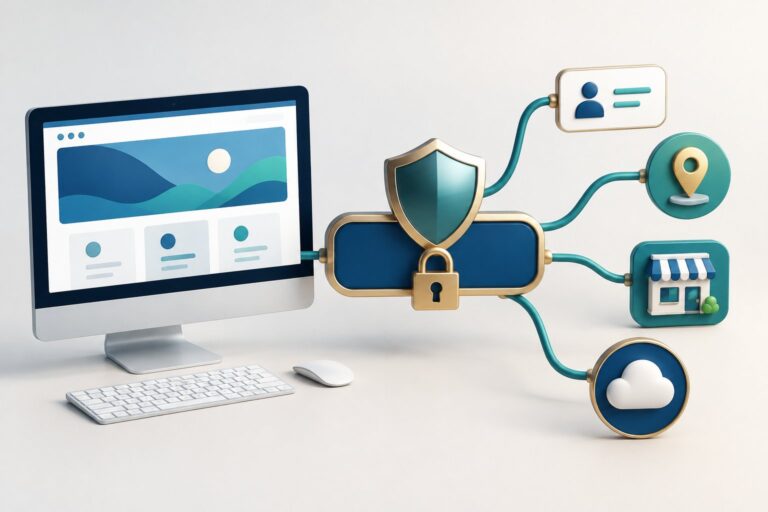
Registry states that it checks redirect destinations in real time for phishing, malware, and compromised content, stopping the redirect and showing a warning page where a threat is detected. These security controls sit at the infrastructure level, operating on every redirect regardless of who set it up.

Destination Checks
Every r.nz redirect is checked automatically, according to Registry, which describes this as advanced threat protection built into the edge network rather than an optional add-on. The check happens at the point of redirect, not just when the link is first created, which matters because destinations can change over time.
Warning Pages and SSL
When a threat is flagged, Registry can display a warning page instead of completing the redirect. Redirects are also protected by SSL, and the platform says it avoids forced interstitial ads, third-party tracking pixels, and unnecessary scripts that can clutter or compromise the experience.
Why a Familiar Short Link Is Not Proof That a Destination Is Safe
A recognisable link is a helpful signal, not a guarantee. The person controlling a redirect account can still be tricked, their account can be misused, or a legitimate destination can later be compromised.
Trusted branded links reduce one kind of risk, the impersonation of your public-facing name. They don’t replace the checks a business runs on its own email, logins, and internal systems.
Which Other Defences Belong Alongside Secure Links?
Secure links handle one part of the picture: what happens when someone clicks. Email filtering, authentication standards, and endpoint protection cover the parts before and after that click, and none of them substitute for the others.

Email Filtering and Authentication for Impersonation Attempts
Email authentication standards such as SPF, DKIM, and DMARC help receiving mail servers confirm that an email claiming to be from your domain actually came from your systems. Without these configured, it’s far easier for an attacker to send a convincing fake from a lookalike address. Email filtering adds another layer, scanning incoming messages for known malicious links and flagging suspicious senders before a staff member ever sees them.
Phishing-Resistant Sign-In and Endpoint Protection
Multi-factor authentication makes account takeover much harder, even when a password is exposed through a phishing attempt. Guidance such as NIST SP 800-63 and the CIS Controls v8 frameworks both recommend MFA as a baseline control, not an optional extra for high-risk accounts only. Tools like Microsoft Defender for Endpoint, paired with sensible Group Policy settings, add detection and containment on the devices themselves, catching malware that slips past other layers.
How Should Teams Manage Links and Respond to Suspected Abuse?
Good link hygiene starts with keeping destinations current and treating sensitive requests with extra scrutiny, regardless of how trustworthy the link looks. A short link that’s out of date, pointing to a page that’s since been sold, closed, or redesigned, creates confusion that attackers can exploit.

Keep Destinations Current and Verify Sensitive Requests Separately
Update a link’s destination as soon as a page moves, a listing sells, or a campaign ends, rather than leaving old content live under a familiar name. Registry’s dashboard lets the destination behind an r.nz name change without reprinting signage, business cards, or QR codes already in circulation. For anything involving payment details or account changes, verify the request through a second channel, a phone call or a known contact, before acting on it.
What to Do When a Link or Account May Be Compromised
Document the exact URL, take screenshots, and note when the issue was first noticed. Having an incident response plan ready before something goes wrong means these steps happen quickly rather than being worked out under pressure. Change account passwords, enable or review multi-factor authentication, and report the issue through the relevant platform’s abuse channel, keeping a record of each step taken.
Make Recognisable Links Part of a Safer Customer Journey
A consistent, branded link gives customers a stable reference point and gives a business one less thing to reprint when a destination changes. Paired with destination checks, SSL-protected redirects, and warning pages for flagged threats, it adds a layer of protection at the point where most people make split-second decisions.
None of this replaces email authentication, multi-factor authentication, or endpoint protection, each of which covers ground a redirect service doesn’t touch. Treating secure links as one part of a layered approach, alongside the basics covered above, gives New Zealand businesses a more realistic defence than relying on any single control.
Frequently Asked Questions
Can an r.nz link still lead to a phishing page?
A destination can be changed by its account holder at any time, and Registry checks destinations in real time for known phishing and malware indicators. These checks reduce risk but don’t offer an absolute guarantee, since new or disguised threats can emerge between checks.
How can customers tell whether a branded short link is genuine?
Compare the exact spelling against where you’ve seen the link before, on a business card, website, or social profile, and be wary of unexpected urgency in the message carrying it. A legitimate business rarely needs an immediate click to avoid a penalty or loss.
Does changing a link’s destination affect a printed QR code?
No. The QR code and the printed link stay the same, since only the destination behind the r.nz name changes in the dashboard. This is the main advantage of a redirect over printing a long URL directly.
Does SSL mean the destination website is safe?
SSL confirms that data moving between a browser and a server is encrypted, not that the destination’s content is trustworthy. A phishing site can still run SSL, so it’s one signal among several, not proof of legitimacy on its own.
What should I do if I suspect an r.nz link is being misused?
Document the exact URL, capture a screenshot, and note when you noticed the issue. Report it through Registry’s contact channel so the matter can be reviewed, and treat any related request for payment or account details with extra caution in the meantime.