
A long web address rarely fits on a business card, a signboard, or the back of a van, and typing one into a phone from a printed flyer is where most customers give up. A branded link solves that problem by giving your website a short, recognisable public address that you control, while the page behind it can stay exactly where it already lives. For a small business owner weighing up how to tidy up their online presence, this is usually the simplest fix available.
A branded link for your website is a short, custom address, such as post.r.nz, that redirects visitors to your existing site while staying easy to remember, print, and update. Registry builds this around r.nz subdomains specifically, with plans starting from $9.00 per month that include a custom name, SSL security, and dashboard controls so you can change the destination whenever your business needs change. The naming and brand identity side of these matters as much as the technical redirect itself, since a link only earns its keep if customers can recall it without checking a note.
How Does a Branded Link for Website Work?
A branded redirect sits between the public link people see and the website address where your content actually lives, forwarding visitors automatically the moment they click or type the short name. It separates what you share publicly from where that content is hosted, which is what makes the link reusable over the long term.
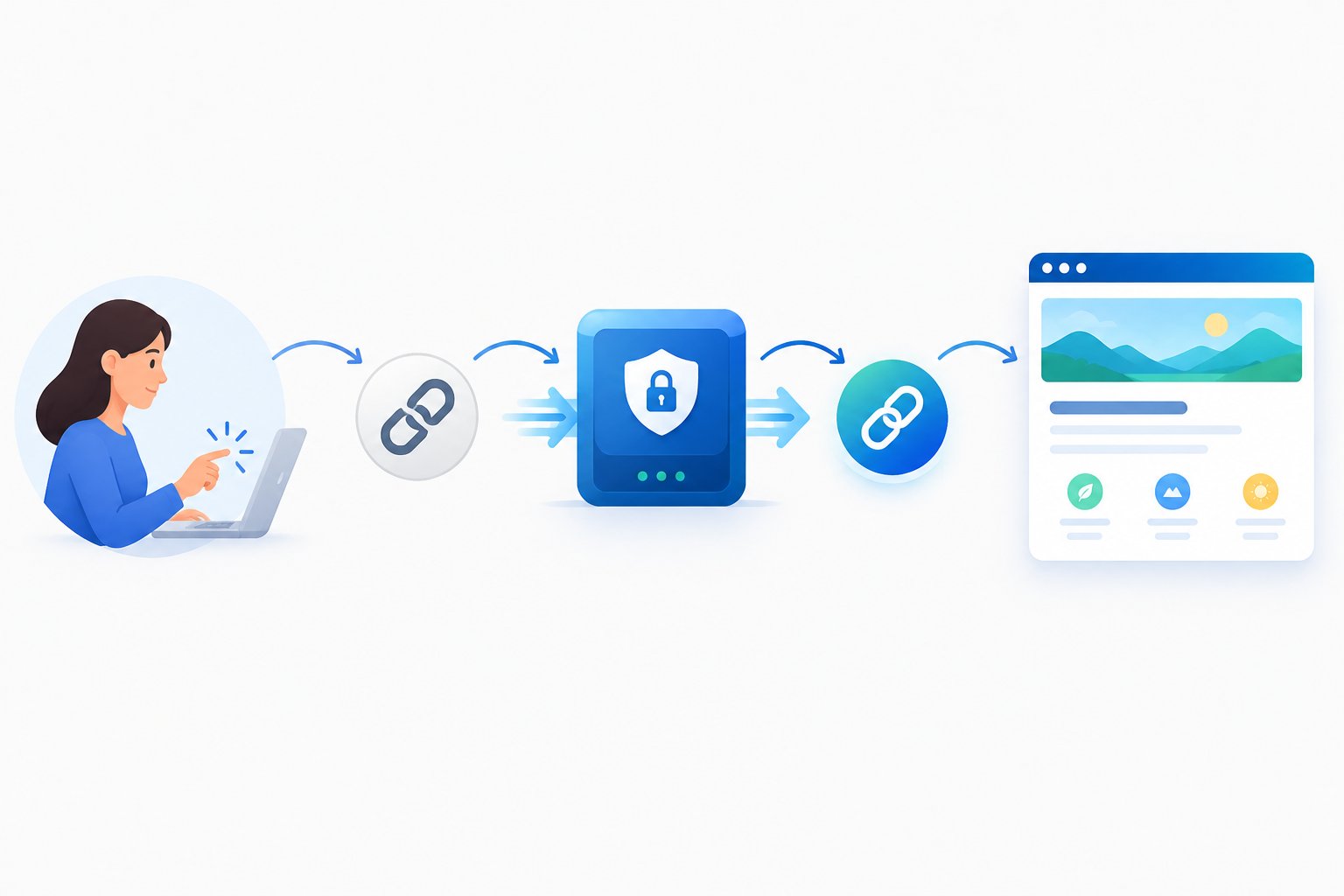
Turn a Long Website Address into a Memorable Public Link
A branded short link replaces a long, awkward website address with something a customer can read once and repeat later. Instead of sharing a URL packed with slashes, folder names, and tracking strings, you share a name like post.r.nz that fits on a till receipt or a social bio without edits.
This is different from a generic URL shortener that produces random characters on a shared domain. A branded domain carries your name or purpose in the address itself, so the link works as a small piece of marketing rather than just a technical convenience, a distinction covered in more detail in guidance on branded links for NZ businesses.
Understand the Difference Between a Custom Domain and an r.nz Subdomain
An r.nz subdomain, such as post.r.nz, is a name you claim and manage through Registry without purchasing or owning a separate domain outright. A fully independent custom domain, by contrast, is registered in your own name through a domain registrar and typically requires you to manage DNS settings yourself.
Choosing between the two usually comes down to how much setup you want to handle. An r.nz name is built for immediate use: search, claim, connect a destination, and the vanity URL is live, without DNS propagation delays to plan around. More on how that redirect mechanism functions is available in how domain redirects work.
Keep Your Existing Website While Changing the Link You Share
Your website stays exactly where it is. Nothing about the hosting, content management system, or existing domain changes when you set up a redirect; the r.nz name simply becomes the address customers see and use.
This matters for anyone who has already invested time building a site on a platform they are happy with. A short business URL acts as a front door you can repaint without touching the building behind it, which keeps the switch low risk for a business that already has traffic flowing to its existing pages.
How Do You Set Up a Memorable Link with Registry?
Setting up a Registry redirect follows four practical steps: search for an available name, add the destination, activate the redirect, and test it. No coding or DNS configuration is required at any point.

Choose an Available Name That Customers Can Recognise
Start with the domain-name search to check whether your brand name, trade, or campaign term is available as an r.nz name. A name like post.r.nz works well when it mirrors how customers already refer to your business, rather than a stylised version only you recognise.
Short, specific names outperform clever ones. A tradesperson might choose something tied to the action a customer takes next, which is the same logic covered in what makes a brand name stand out.
Add Your Website Destination and Activate the Redirect
Once you have claimed a name, enter the destination URL, the page you want visitors to land on, and activate the redirect from the dashboard. This step is where the public-facing link connects to your actual website, store, booking page, or social profile.
Every Registry plan includes SSL security on the redirect itself, so the connection between the short link and the destination stays encrypted regardless of which plan you choose.
Create Purpose-Led Paths for Menus, Bookings and Offers
A single r.nz name can support multiple paths for different customer journeys. A cafe might use post.r.nz for the homepage, post.r.nz/letters for the current menu, and post.r.nz/business for a running promotion, all under one recognisable base name.
This structure suits any business with more than one common customer action. The logic behind when to split a name into paths versus separate subdomains is explained further in subdomains versus subdirectories for NZ businesses.
Test Your Link and Update Its Destination When Needed
Test the redirect after activation to confirm it lands on the correct page, then revisit the destination whenever your website, offer, or listing changes. Editing the destination through the dashboard means the public link printed on signage or saved in a customer’s phone never needs to change.
This editable-destination approach is particularly useful for memorable domain names used across printed collateral, where reprinting is costly or slow.
Where Should You Share Your Link and How Can You Measure Results?
A branded link earns its value by appearing consistently across every channel where customers encounter your business, from a social bio to a printed invoice. Measuring what happens after the click requires pairing the link with UTM parameters and a web analytics tool, since the redirect itself and campaign measurement are two separate jobs.

Use One Recognisable Address Across Social Bios, Email and Print
The same r.nz name can sit in a Facebook bio, an email signature, a flyer, and vehicle signage without any version needing to differ. Consistency is what lets customers recognise the link on sight, whichever channel they first saw it on, a pattern explored further in how short links improve social media engagement.
Add UTM Parameters to Measure Campaign Performance in Google Analytics
UTM parameters belong on the destination URL behind the redirect, not on the public-facing short link itself, so the visible address stays clean while Google Analytics still captures source, medium, and campaign data once the visitor lands. This keeps a tidy yourbrand.r.nz address on a flyer while the tracking detail works invisibly behind it.
Assess Click-Through Rates and Conversions Without Assuming a Guaranteed Lift
A clear, branded link removes hesitation that comes from clicking an unfamiliar string of characters, but click-through rate and conversions still depend mainly on the offer, audience, and creative behind the campaign. Registry’s own guidance on promo links is direct about this: a short, branded link “removes one small point of hesitation” rather than guaranteeing a lift, as explained in Registry’s guidance on branding promo links. Audience insights and conversion data are best read from your analytics tool rather than from the redirect itself.
What Should You Check Before Choosing a Link Service?
Compare services on five practical points: cost structure, whether you need a subdomain or a fully owned custom domain, security behaviour, and any advanced integration requirements your team has. Getting this right upfront avoids switching services later once a link is already printed and shared.

Compare an r.nz Subscription with a Free Link Shortener
A free link shortener typically places your redirect on a shared generic domain, which keeps costs at zero but surrenders the brand recognition a custom name provides. Registry’s paid plans start from $9.00 per month and include a custom r.nz name, SSL, and dashboard controls, trading a small ongoing cost for a link that reinforces your brand every time it is shared.
Decide Whether You Need a Branded Subdomain or Your Own Custom Domain
An r.nz subdomain suits a business that wants a fast, managed setup without owning a separate domain outright. A fully independent custom branded domain suits a business that already manages its own DNS and wants that specific domain name reflected in every link, which generally involves more setup and ongoing management.
Check SSL, Destination Screening and Redirect Behaviour
Confirm that any link service encrypts the redirect with SSL and screens destinations for risk before forwarding visitors. Registry checks destinations in real time for phishing, malware, and compromised content, and can stop a redirect and display a warning page where a threat is detected, which is described further in how Registry helps reduce phishing risk.
Confirm Advanced Requirements Such as SSO, APIs and WordPress Integrations
Larger teams sometimes need single sign-on (SSO) for staff access, a REST API for programmatic link creation, formal security certifications such as SOC 2 Type 2, or direct WordPress integrations to generate links from inside a content management system. These are reasonable questions to raise with any provider you are assessing, including Registry, before committing a business-critical workflow to a particular platform.
Give Your Website a Memorable Front Door
A branded link gives your existing website a short, recognisable address that works across print, social, and in-person conversations without requiring any changes to the site itself. The strongest approach combines a clear name, an editable destination, and consistent use across every channel where customers encounter your business.
Good link management means the address stays the same even as your offers, listings, and campaigns change behind it. If your business is ready to replace a long or forgettable web address, the domain-name search is the practical next step, and Plans & Pricing outlines what is included from $9.00 per month.
Frequently Asked Questions
Can I create a branded link without rebuilding my website?
Yes. A branded link redirects visitors to your existing website, store, or profile without changing its hosting, platform, or content. You claim a name, point it at your current destination, and your site continues operating exactly as it already does.
Do I need to buy a separate domain to use Registry?
No. Registry provides r.nz subdomains, such as post.r.nz, that you claim and manage through the platform rather than purchasing an independent domain outright. This removes the need to handle separate domain registration or DNS configuration.
Can my branded link redirect to a booking page or online store?
Yes. A Registry redirect can point to any destination URL, including a booking page, online store, social profile, portfolio, or campaign landing page, and that destination can be updated later from the dashboard.
Will changing the destination affect my printed QR codes?
No. A QR code encodes the branded link itself, so updating the destination behind that link in the dashboard means the QR code keeps working without needing to be reprinted or regenerated.
Does a branded redirect improve my website’s SEO?
A branded link does not directly affect your website’s search ranking, since search engines index the destination page rather than the short redirect. It can support brand recognition and referral consistency across print and social channels, which works alongside, not instead of, genuine on-site SEO work.
What should I check before cancelling my link subscription?
Confirm where the current link is printed or embedded, such as signage, QR codes, or business cards, since the redirect stops working once the subscription ends. Registry states that subscriptions can be cancelled from the dashboard at any time, so timing cancellation around when printed materials are due for replacement avoids a dead link in circulation.